
Below is a platform-aware way to interpret GE dishwasher error codes so you don’t replace good parts chasing the wrong fault. GE uses multiple control families (different UI layouts, sensors, and logic), so the same-looking code can point to different root causes depending on the model.
Read the Error Code Correctly (Model-Specific Meanings)
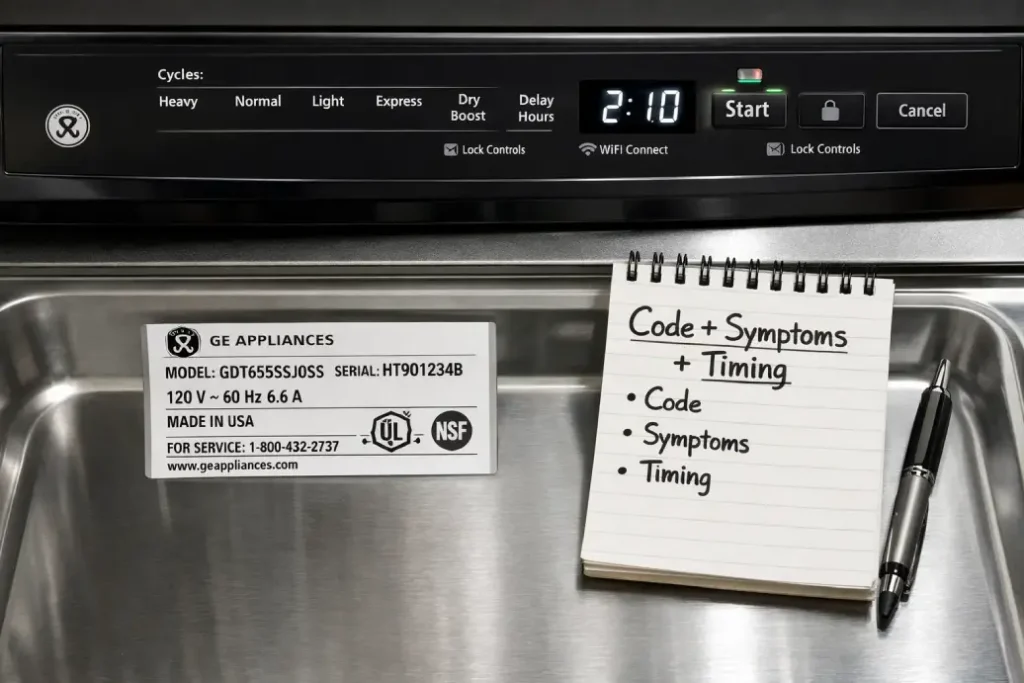
Where to find the model/serial number
Most GE dishwashers place the model/serial tag:
- On the inner edge of the door (top or side).
- On the tub frame visible when the door is open.
- Occasionally on the side of the door behind the gasket line.
Write it down exactly (including suffix letters). Those suffixes often correspond to different electronics.
Why the same code can mean different faults on different GE platforms
Across GE lines, “error codes” can be:
- True fault codes (a circuit/sensor is out of spec).
- Control logic flags (the machine didn’t reach a target condition in time).
- UI messages (lock, demo mode, stuck key, communication loss).
Two common reasons meanings differ:
- Different sensing method: one platform infers water level from pressure feedback, another infers it from motor load + timing.
- Different wiring/UI architecture: some are single-board, others split into Main Control + UI board with a communication link.
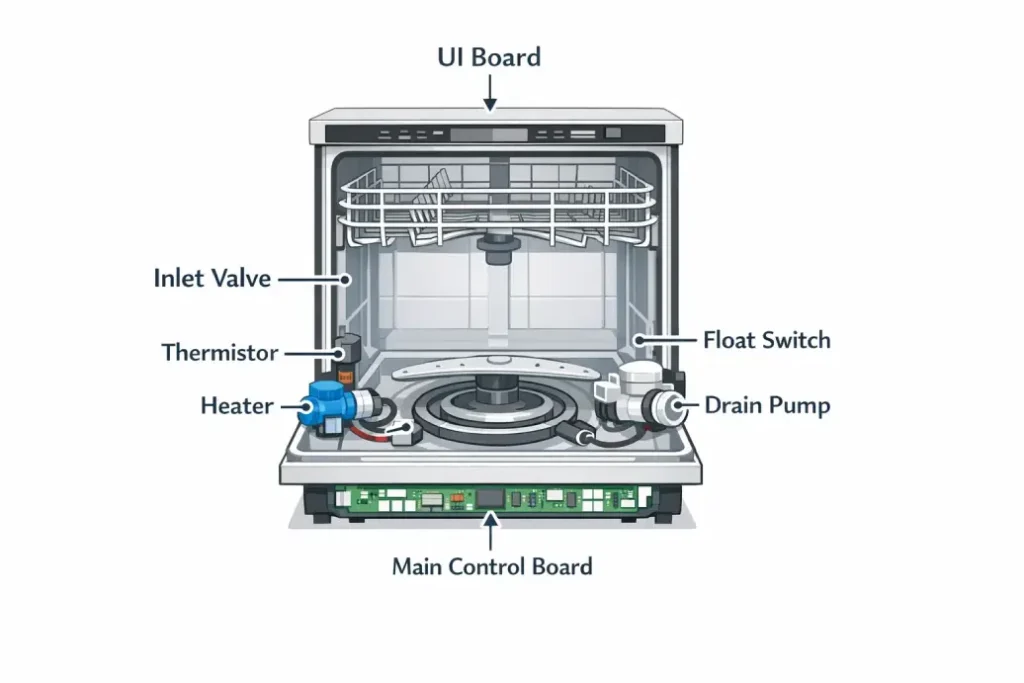
GE Dishwasher Error Codes by System
Use this table to quickly route your diagnosis to the right subsystem (even if your exact code text differs).
| System group | What the control is “complaining” about | What to check first (fast) |
|---|---|---|
| Water Fill / Water Level | Didn’t fill, overfill, level feedback mismatch | Shutoff valve open, inlet screen, supply pressure, kinked line |
| Drain / Pump | Didn’t drain, drain timeout, pump restriction | Filters, hose routing/high loop, sink connection/air gap |
| Heating / Temperature | Water not heating, heater circuit issue, temp feedback odd | Incoming hot water temp, heater wiring, thermistor seating |
| Leak / Float / Flood | Water sensed in base, float logic triggered | Base pan moisture, float movement, oversuds |
| Door / UI / Keypad | Door not latched, lock enabled, key stuck | Latch alignment, lock status, keypad stuck/contamination |
| Control / Communication | UI ↔ main board comm loss, internal board fault | Harness connectors, corrosion, loose plugs |
Water Fill / Water Level (inlet valve, pressure, level feedback)
Typical “fill/level” conditions are triggered when the dishwasher:
- Can’t reach expected level within a time window.
- Detects a level that rises too fast/too high (possible overfill or false sensor).
- Sees conflicting signals (e.g., “filling” but “level not changing”).
High-yield checks:
- Confirm the shutoff valve is fully open.
- Clean the inlet valve screen (sediment is common).
- Verify supply line isn’t kinked behind the unit.
Drain / Pump (filters, hose routing, drain pump, check valve)
Drain-related errors are often caused by flow restrictions, not a bad pump.
High-yield checks:
- Remove and clean filters + sump area.
- Ensure the drain hose has a proper high loop under the counter (or an air gap).
- Check for blockage at the sink/disposer nipple.
Heating / Temperature (heater circuit, thermistor, high-limit)
Heating errors may mean:
- Heater circuit can’t raise temperature quickly enough.
- Thermistor feedback is unstable (loose, wet connector, poor seating).
- High-limit or control logic intervened.
High-yield checks:
- Run hot water at the sink first; confirm incoming is hot enough.
- Look for burned heater connectors or loose plugs.
- Confirm thermistor is seated and the harness isn’t pinched.
Leak / Float / Flood Protection (base pan water, float switch logic)
“Leak/flood” logic can trigger from:
- Real base-pan water.
- Oversuds pushing foam into areas the control interprets as a leak.
- Float switch stuck or misreading.
High-yield checks:
- Remove the toe-kick and look for water in the base pan.
- Verify float moves freely (no debris, no binding).
- Consider recent detergent changes (pods + rinse aid can oversuds in soft water).
Door / UI / Keypad (latch switches, harness, control lock)
Door/UI issues often look scary but are frequently mechanical.
High-yield checks:
- Make sure the door is fully closing (racks not blocking).
- Inspect latch strike alignment.
- Confirm Control Lock isn’t enabled on the UI.
Control Board / Communication (main board, UI board, wiring/connectors)
Before condemning boards, treat it like a connection problem first.
High-yield checks:
- Power reset (properly) and watch if the issue returns at the same moment.
- Inspect harness plugs for moisture/corrosion.
- Reseat connectors—many intermittent comm faults are just poor contact.
High-Accuracy Checks Before Replacing Parts
Record the exact code + symptoms + when it appears (start / mid-cycle / end)
Log three things every time:
- Exact code text (including letters/numbers and any blinking pattern).
- Timing: start, wash, heat, drain, final dry, end.
- Observable symptom: no fill sound, standing water, cold water, beeping, stuck buttons.
This prevents “parts-cannon” repairs.
Verify basics: water supply pressure, hot water temperature, drain hose setup
Do these basics before deeper teardown:
- Supply: valve fully open, line not kinked, inlet screen not clogged.
- Temperature: incoming hot water is actually hot (cold water = heating-related complaints).
- Drain setup: correct high loop / no crushed hose / no blocked air gap.
Diagnostic Mode: Pulling Stored Errors (If Supported)
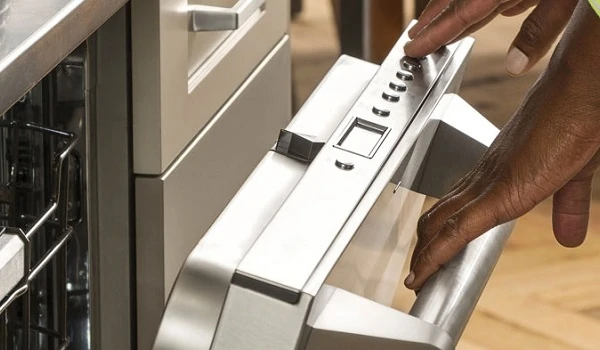
Image idea (for this H2): A “service mode” concept image: finger pressing a sequence on a dishwasher panel, plus a small “error history” list on a simple screen.
Many GE platforms support a service/diagnostic mode that shows:
- Active errors (present right now).
- Stored errors (happened previously, may have cleared).
Active vs stored errors: what each tells you
- Active error: best for real-time electrical/sensor faults and hard failures.
- Stored error: best for intermittent problems (door switch bounce, occasional drain restriction, brief comm drop).
Using error history to confirm the root cause
A good rule:
- If the same subsystem repeats in history (e.g., drain timeouts), treat it as systemic (routing/restriction) before replacing electronics.
- If errors jump randomly across unrelated systems, suspect power/connection issues (loose harness, moisture on connectors).
Common False Triggers (When the Code Is a Symptom)
Image idea (for this H2): Three mini-scenes in one illustration: foam overflow (suds), a drain hose incorrectly routed flat, and a thermometer showing low incoming temp.
Here are the classic “looks like X, but is actually Y” cases:
- Excess suds/detergent → leak/level-related errors
Foam can lift floats, confuse level detection, and push moisture into the base pan. - Incorrect high loop/air gap restriction → drain-related errors
A perfectly good pump can’t overcome a bad hose route or a clogged air gap/disposer port. - Low incoming water temperature → heating-related errors
If the unit starts with cold water, it may “fail to heat in time” even when the heater works.
Repair Decision Guide (DIY Checks vs Technician Tests)
Image idea (for this H2): A split graphic: left side “DIY” with flashlight and gloves; right side “Technician” with multimeter and wiring diagram.
Use this matrix to decide whether to proceed safely or escalate.
| Symptom / Code family | Safe DIY checks (no electrical testing) | Technician-level checks |
|---|---|---|
| Fill/level issues | Valve open, inlet screen clean, hose not kinked, verify water reaches valve | Measure inlet valve coil, verify level/pressure feedback, inspect control triac/relay |
| Drain/pump issues | Clean filters, clear hose/air gap/disposer port, verify high loop | Measure drain pump current/ohms, check check-valve integrity, inspect control output |
| Heating/temp issues | Ensure hot supply, run hot tap first, verify no blocked spray arms | Test heater continuity, thermistor readings, high-limit function, control relay |
| Leak/flood issues | Check base pan water, dry and re-test, reduce suds | Inspect float circuit electrically, look for intermittent switch faults |
| Door/UI issues | Check latch alignment, rack interference, control lock status | Test latch switches, inspect UI harness, diagnose UI board faults |
| Comms/control issues | Reseat connectors, check for moisture, proper power reset | Voltage checks, harness continuity, board-to-board communication diagnosis |
What you can inspect safely without electrical testing
- Filters, spray arms, sump debris.
- Drain hose routing, disposer/air-gap blockage.
- Door latch alignment, UI lock state.
- Visual inspection for leaks (base pan), obvious moisture on connectors.
When you need a multimeter, disassembly, or professional service
- Any time you must test live voltage, control outputs, or board relays.
- Repeated heating errors after confirming hot supply and clean circulation.
- Intermittent comm faults that persist after connector reseating and drying.